
Check the result, hand off the changes, and close the session with a deliberate choice about its files.
Before you begin
Section titled “Before you begin”Select the intended session in the Sessions sidebar and check its project and branch on the prompt bar above the message box. An Idle session, shown on its sidebar row, may have finished its turn or need input. Read its last response before deciding the task is complete.
Example starting state: the greeting fallback and four test cases have been implemented in the task workspace. Changes may still be uncommitted. If the task is unfinished or checks fail, continue the same session rather than treating this checklist as an automatic close instruction.
1. Verify the work
Section titled “1. Verify the work”- Compare the result with your original request.
- Select the Diff tab at the top of the session, then Changes. Open Diff filters (the ⋮ next to the search icon), and switch Compare between All changes and Working changes so you account for committed work and outstanding edits.
- Run the relevant checks in the session’s workspace on the server. Record what passed and what remains untested.
- Resolve important review findings or record why you are leaving them open.
Expected result: you can explain what changed and what evidence supports it. For the greeting example, that includes the blank-name fallback, unchanged nonblank behavior, and passing tests.
If something is missing, send a focused follow-up instead of closing the task.
2. Hand off the result
Section titled “2. Hand off the result”Follow your repository’s commit and pull-request requirements. If you are unsure of that process, ask its maintainer before publishing changes. You can ask the agent for a handoff without authorizing publication:
Summarize the files changed, checks run, and any remaining concerns.Identify changes that are not committed yet.Do not commit, push, or create a pull request.Closing a Firehose session does not itself commit, push, merge, or approve its changes. For a concrete path from a reviewed diff to a local commit and an explicit next-step decision, follow Complete a browser task.
Example handoff
Section titled “Example handoff”Here is an illustrative handoff for the completed reference example. Replace its claims with your actual results:
Requested: blank strings return "Hello, guest!"; other strings keep trimming.Workspace: [full server path and branch]Files: greeting.mjs; greeting.test.mjsCheck: node --test greeting.test.mjsResult: 4 tests passed: plain name, padded name, empty string, spaces only.Review: inspected Working changes for unrelated edits.Remaining: changes are not committed; no pull request was created.Limits: string inputs only; no browser UI or deployment was tested.If a test failed or could not run, replace “4 tests passed” with that failure and the next action. For example: “Spaces-only input returns Hello, !. Ask the agent to choose the fallback after trimming and rerun the checks.” A handoff can report unfinished work; it should not hide it.
3. Choose what to keep
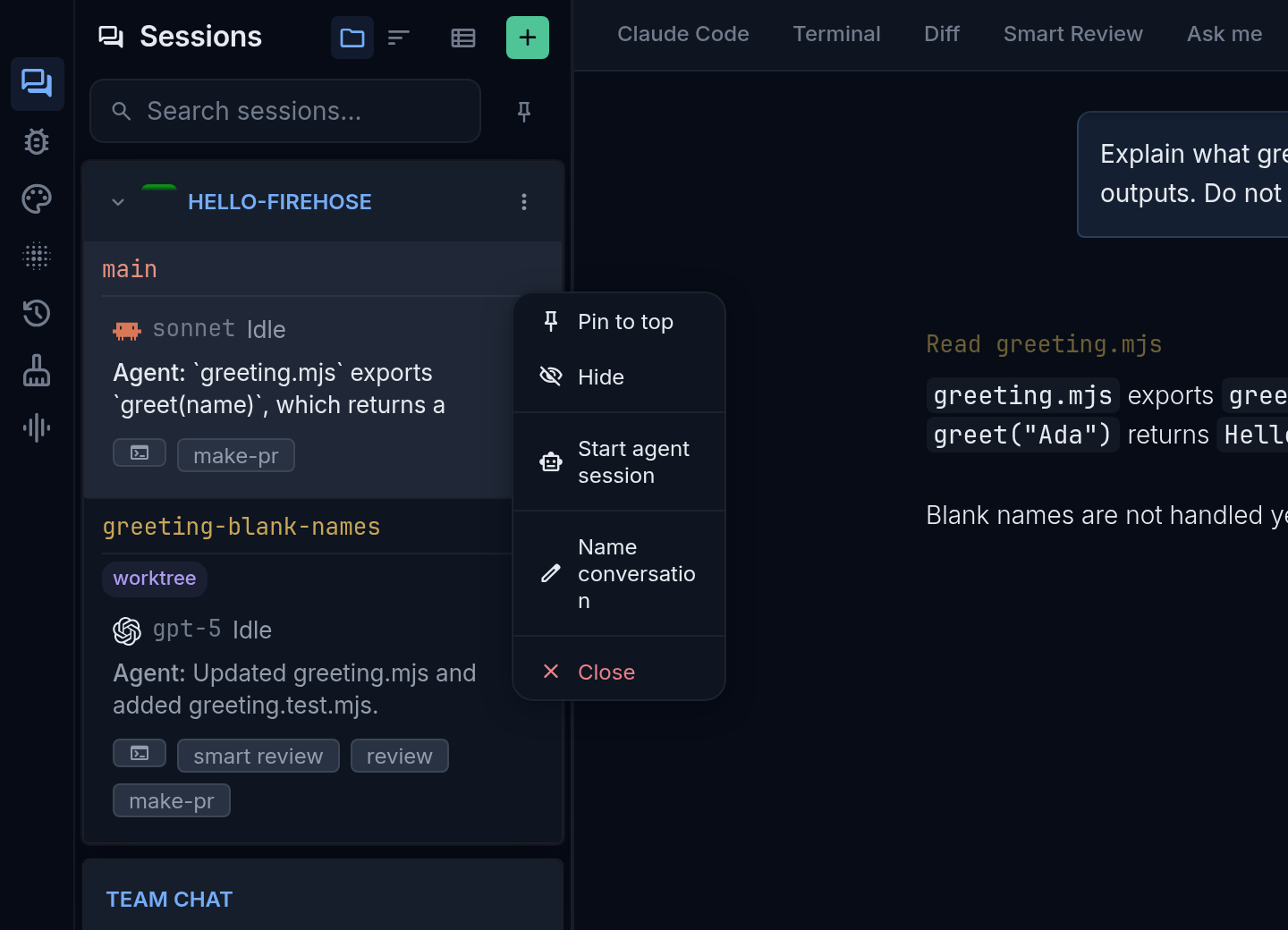
Section titled “3. Choose what to keep”When you are ready to end the session: In the Sessions sidebar, select the session row’s ⋮ (Session options), then Close. The Close this session? dialog shows the branch, pull-request information, and worktree path.
An unknown check is not confirmation that your work has been pushed.
For a worktree, the dialog may offer Also delete the worktree. It starts unchecked:
| Choice | What you request |
|---|---|
| Leave deletion unchecked and select Close | Close the session while retaining its worktree |
| Check Also delete the worktree, then Close and delete | Close the session and remove the worktree; read any subsequent branch-deletion decision separately |
| Cancel | Return without confirming the close |
Keep the worktree if you still need its files. Removing a worktree removes that checkout, including work you have not preserved elsewhere. Check the path carefully before choosing deletion.
Find retained work later
Section titled “Find retained work later”Before closing, record the full workspace path and branch. The path appears under Also delete the worktree in the close dialog; you can also open More actions (the ⋮ at the right end of the workspace tabs), select Session details, and read Directory. If you leave deletion unchecked, the close handler retains the worktree. On the server, open that recorded directory and use pwd, git status --short, and git branch --show-current to confirm the files and branch are the ones you kept.
To continue in Firehose, select New session (the + at the top of the Sessions sidebar), choose the same project, select Next: Choose a workspace, then Existing branch. Search the recorded branch; the result should read Open existing checkout · <path> with your recorded path. This starts a session for the retained work; it does not promise restoration of the old conversation. If no result appears, give the saved path and branch to your operator. Do not create a replacement directory and assume it contains the old files.
Check the outcome
Section titled “Check the outcome”Follow the close or cleanup notice. Cleanup can continue after the session closes; starting deletion is not proof it finished. Read any failure or branch-deletion prompt before taking another action.
Deletion may be unavailable because Firehose is running from that worktree, another agent is still working there, or the main repository could not be located. Read the stated reason. Ask the server operator for help when the server’s own checkout needs to move.
Stopping an active turn is separate: press Escape in the message box or select the red Stop (interrupt) button above it, or Interrupt in the session header’s ⋮ menu on a phone. It does not undo edits or replace the handoff and cleanup steps above. See session activity when you only need to change direction.